Curating Culture in Your Pocket
Curating Culture in Your Pocket
Setting the Stage
Setting the Stage
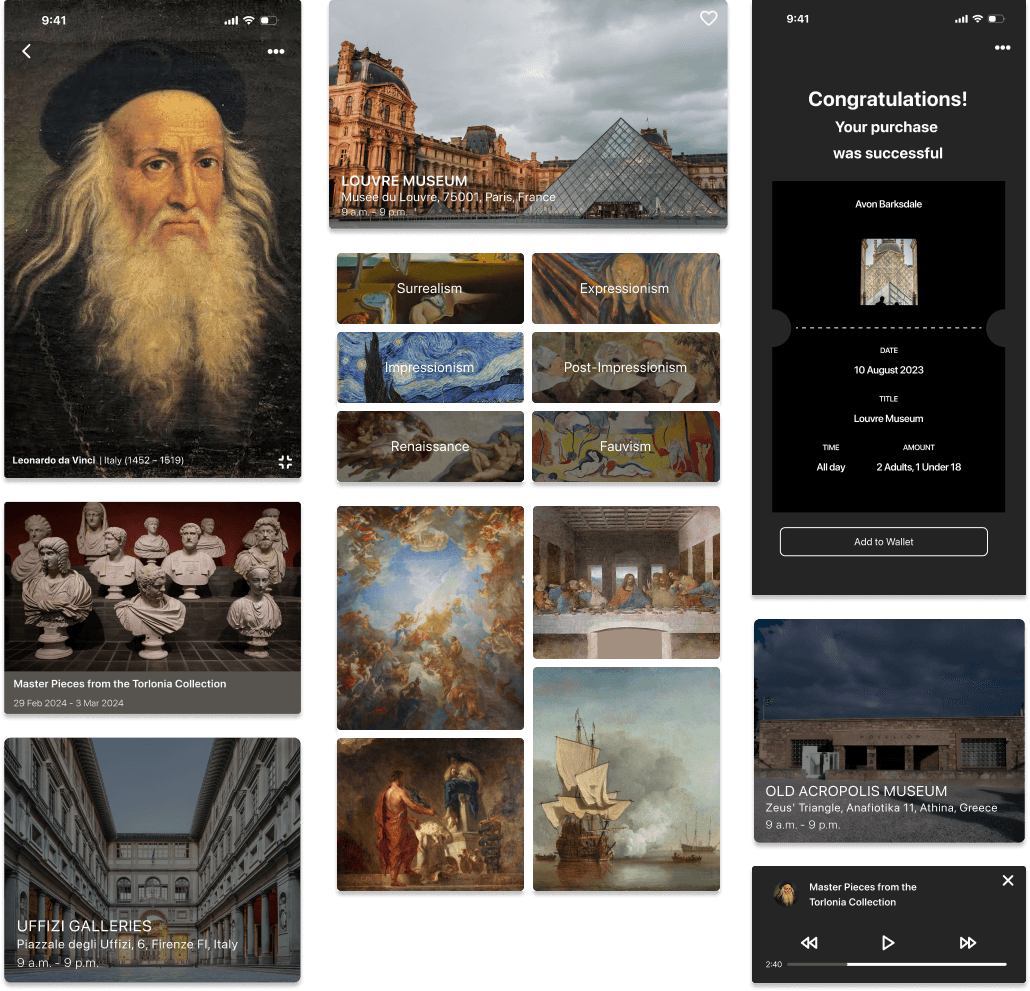
ArtQuest is a mobile app that democratizes access to art and culture. It lets users explore museum collections virtually, dive into artist profiles, and save favourite artworks for inspiration—bridging physical visits with a rich, digital experience.
ArtQuest is a mobile app that democratizes access to art and culture. It lets users explore museum collections virtually, dive into artist profiles, and save favourite artworks for inspiration—bridging physical visits with a rich, digital experience.
ArtQuest is a mobile application designed to democratize access to art and cultural knowledge. With ArtQuest, users can explore museum collections virtually, dive deep into artist profiles, and save favourite artworks for future inspiration—all from the palm of their hand. The app bridges the physical and digital, creating a seamless and engaging art-viewing experience for modern audiences.

My Role
Product designer - Interaction Design, Visual Design, User Flows, Rapid Prototyping
Tools
Figma
Figma
Miro
Miro
Team
Solo Project
Solo Project
Timeline
8 weeks
8 weeks
The Accessibility Gap
The Accessibility Gap
Museums offer incredible, educational experiences—but they’re often hard to access due to location, physical constraints, or time. Even when people do visit or use existing apps, they face:
Information overload and long, dense text
Fragmented tools for learning, saving, and touring
Little personalization or continuity between visits
There was an opportunity to create one cohesive, user-centred experience that combines remote access, storytelling, and personal curation.
Museums offer incredible, educational experiences—but they’re often hard to access due to location, physical constraints, or time. Even when people do visit or use existing apps, they face:
Information overload and long, dense text
Fragmented tools for learning, saving, and touring
Little personalization or continuity between visits
There was an opportunity to create one cohesive, user-centred experience that combines remote access, storytelling, and personal curation.
Vision & Impact Goals
Vision & Impact Goals
Enhance access to museum experiences through an immersive digital platform
Enable users to learn about artists and artworks in engaging, digestible formats
Create a personalized experience through artwork saving, virtual tours, and curated content
Improve art literacy and engagement among younger, tech-savvy audiences
Enhance access to museum experiences through an immersive digital platform
Enable users to learn about artists and artworks in engaging, digestible formats
Create a personalized experience through artwork saving, virtual tours, and curated content
Improve art literacy and engagement among younger, tech-savvy audiences
DISCOVER
DISCOVER
Primary Research
Primary Research
I began with user research, conducting 10 one-on-one remote interviews (lasting 30–45 minutes each) with art enthusiasts, art forum participants, student groups, and casual museum-goers.
I began with user research, conducting 10 one-on-one remote interviews (lasting 30–45 minutes each) with art enthusiasts, art forum participants, student groups, and casual museum-goers.
“I love discovering new artists, but I get overwhelmed by too much text. I wish apps would give me stories in small, digestible bits.”
— Carla, after using Google Arts & Culture
“I love discovering new artists, but I get overwhelmed by too much text. I wish apps would give me stories in small, digestible bits.”
— Carla, after using Google Arts & Culture
General Themes Across Interviews
General Themes Across Interviews
Competitive Analysis
Competitive Analysis
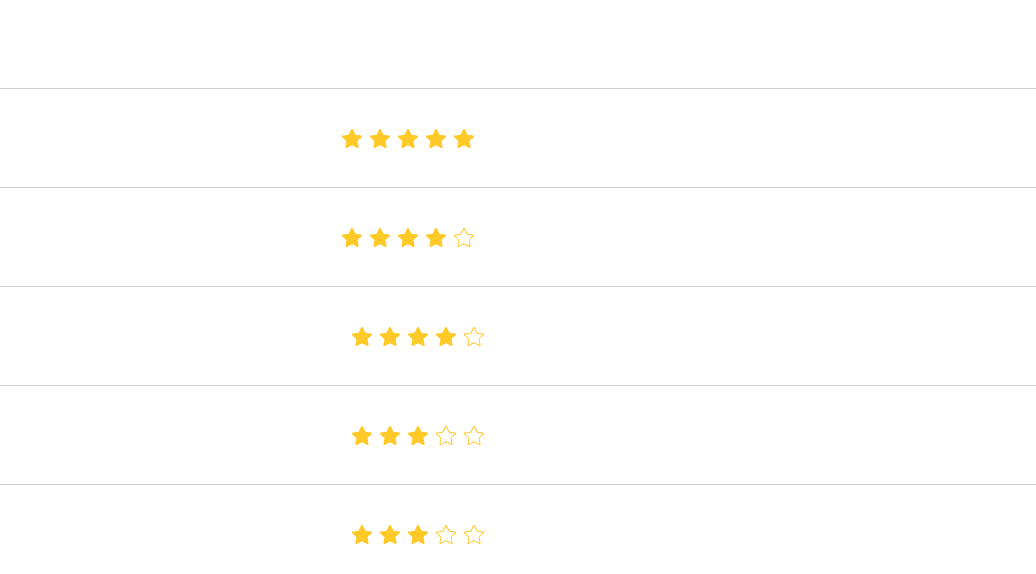
I conducted a competitive audit of apps like Google Arts & Culture, Smartify, and GuidiGO to identify gaps and opportunities.
I conducted a competitive audit of apps like Google Arts & Culture, Smartify, and GuidiGO to identify gaps and opportunities.
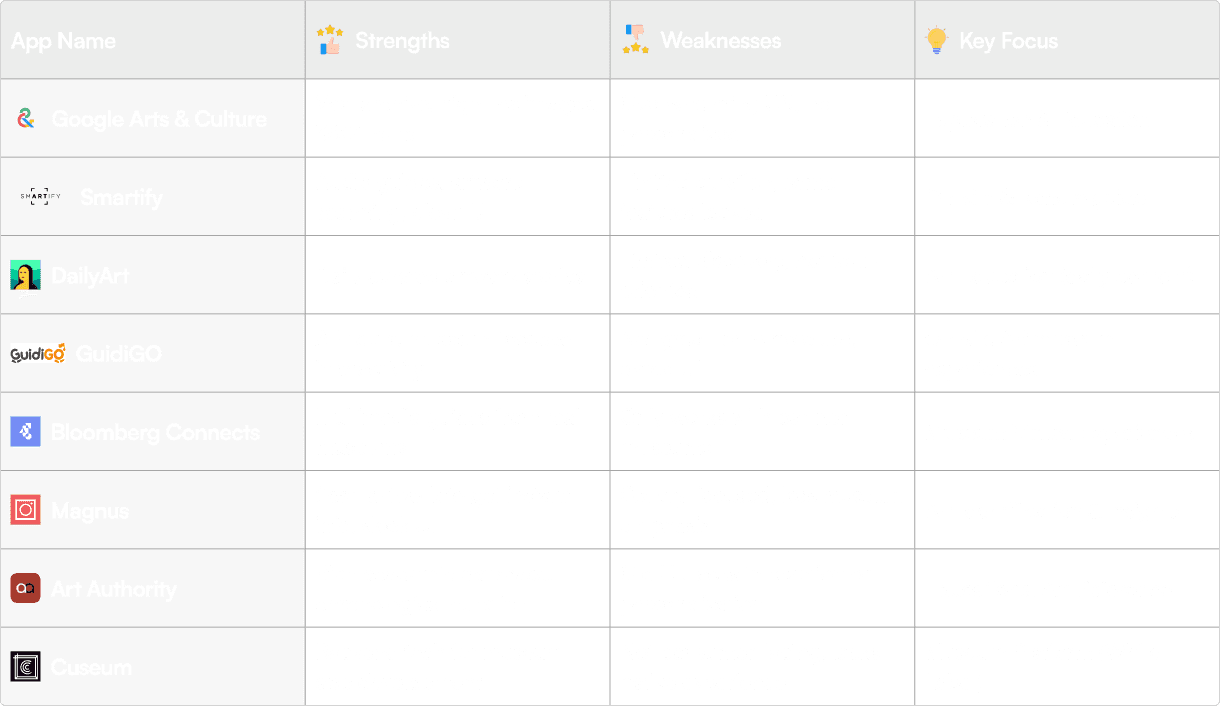
Key Insight: No single app unifies learning, saving, and virtual touring in a seamless, user-centred experience.
Key Insight: No single app unifies learning, saving, and virtual touring in a seamless, user-centred experience.
User Interviews
User Interviews
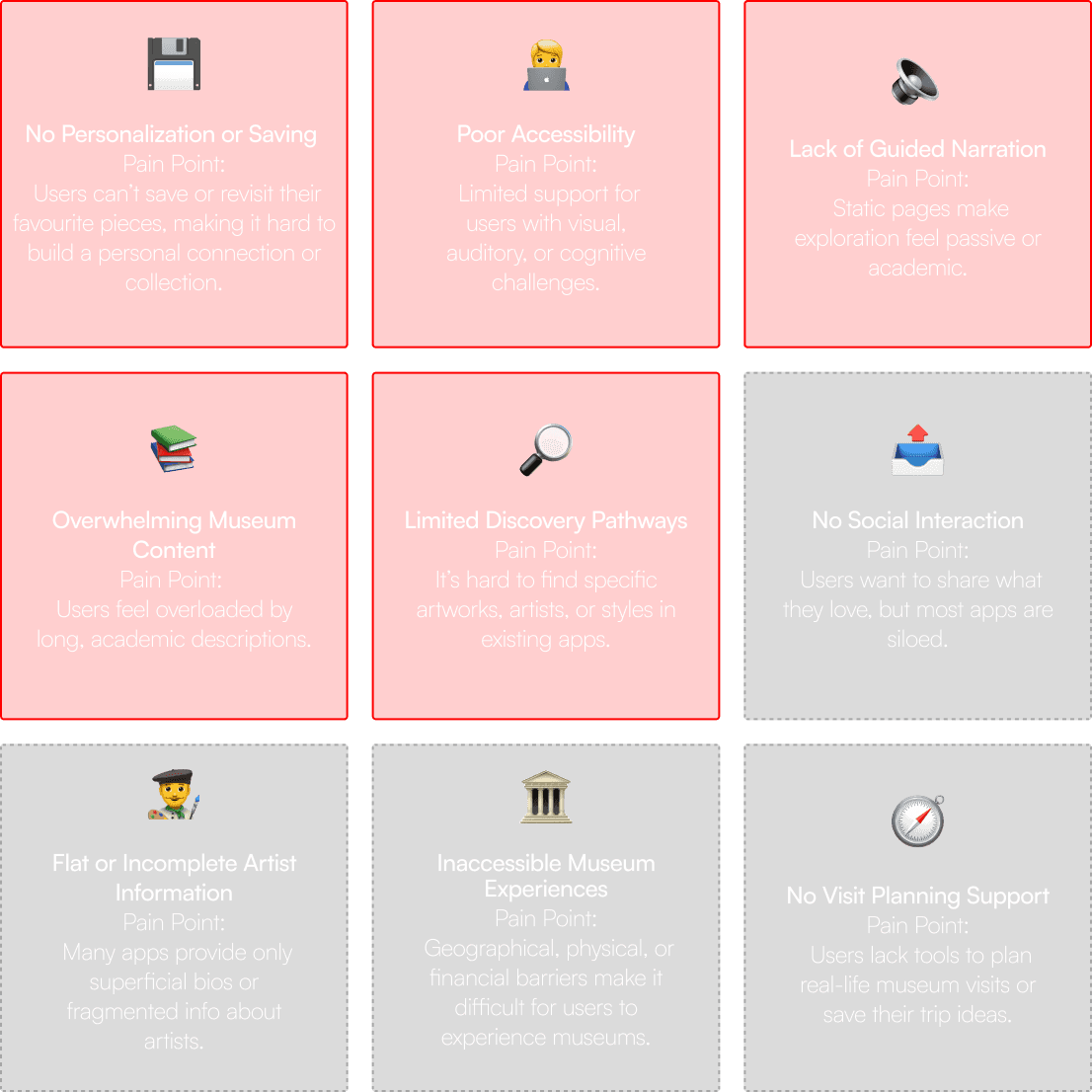
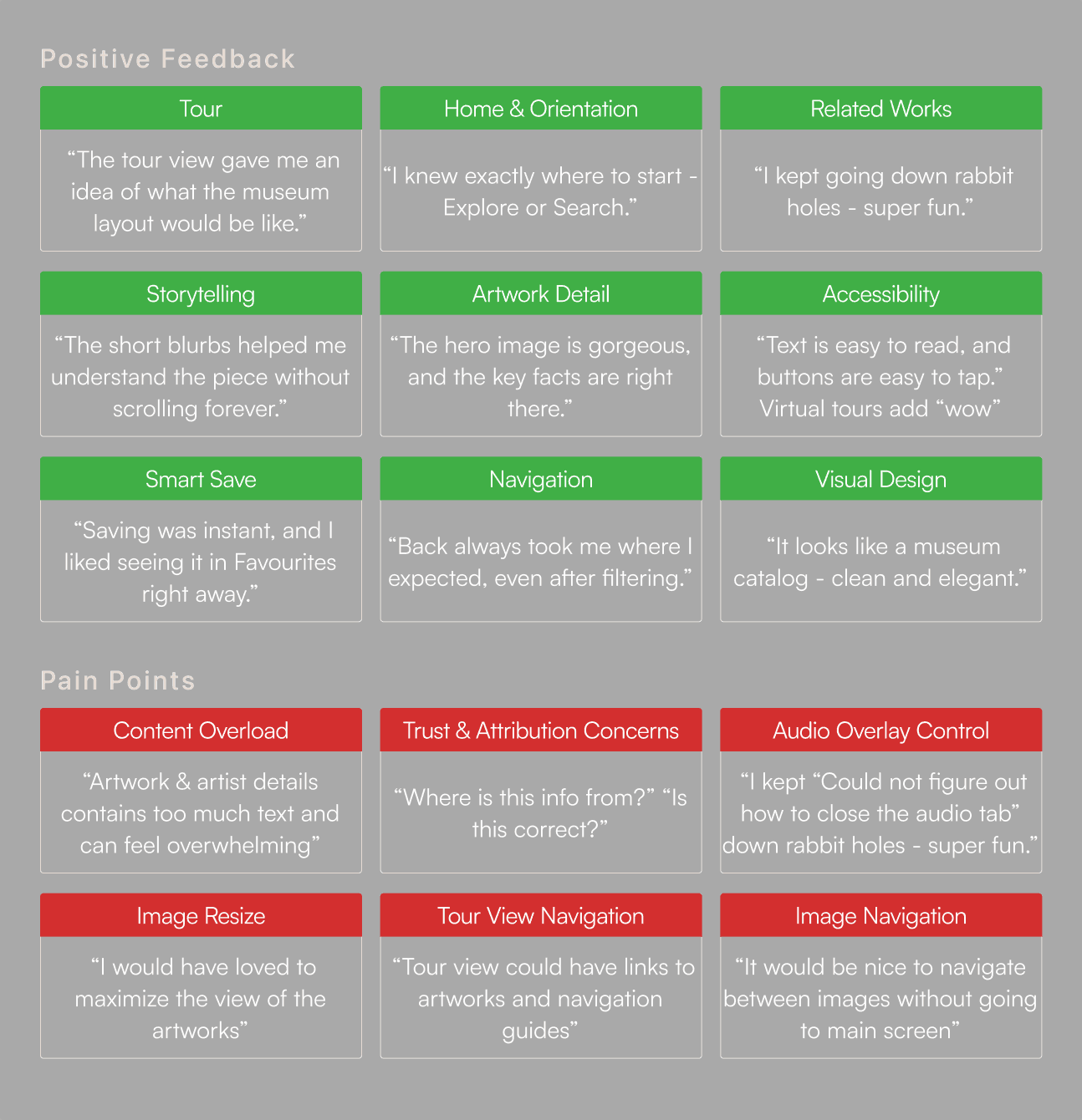
I synthesized the data and insights from the user research to identify common pain points like lack of personalization, difficult navigation, and fragmented learning tools
I synthesized the data and insights from the user research to identify common pain points like lack of personalization, difficult navigation, and fragmented learning tools
Pain Points
Pain Points
Insights
Insights
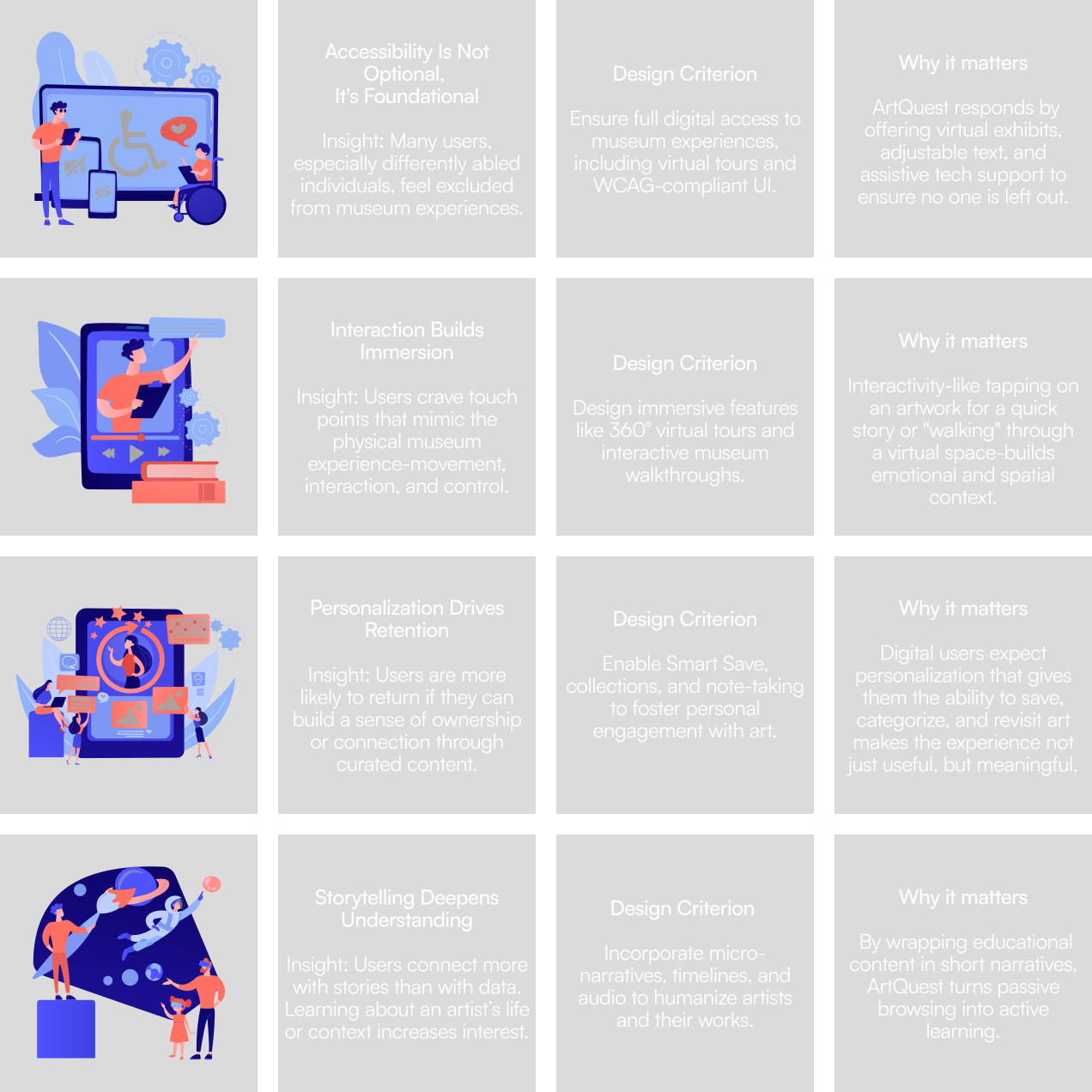
Synthesized interviews into pain points and Key Insights & Design Criteria
Synthesized interviews into pain points and Key Insights & Design Criteria
Key Insights & Design Criteria
Key Insights & Design Criteria
EMPATHIZE
EMPATHIZE
User Personas
User Personas
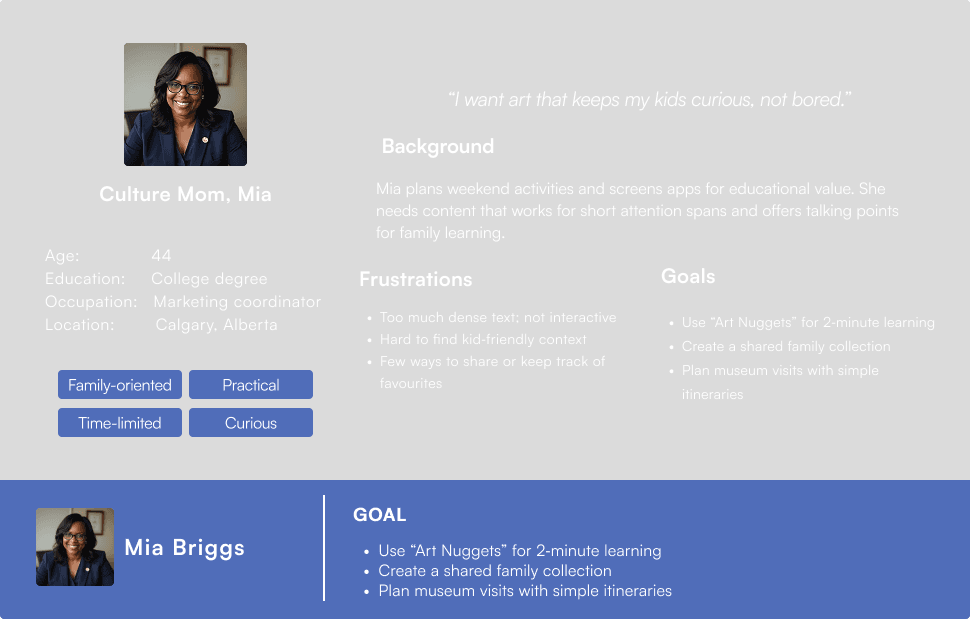
Created personas and prioritized Mia as the primary target: a younger, curious art lover who wants context and curation, not just raw metadata
Created personas and prioritized Mia as the primary target: a younger, curious art lover who wants context and curation, not just raw metadata
User flow
User flow
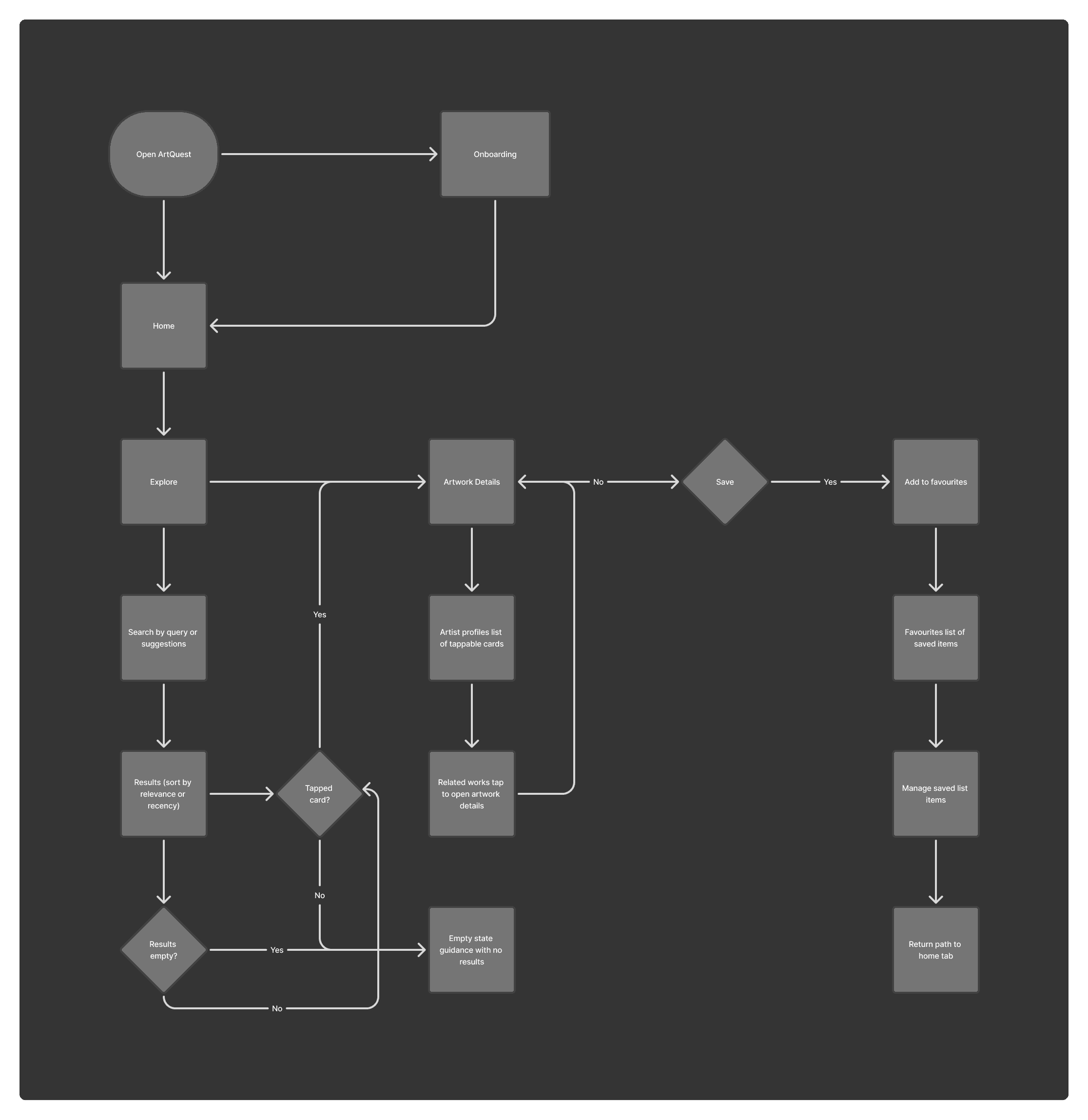
Mapped core user flows, e.g.:
Explore artworks → Filter → Save → Read about artist
Home → Virtual tour → Enter museum → Tap artwork → Learn & save
Mapped core user flows, e.g.:
Explore artworks → Filter → Save → Read about artist
Home → Virtual tour → Enter museum → Tap artwork → Learn & save
Mapped core user flows, e.g.:
Explore artworks → Filter → Save → Read about artist
Home → Virtual tour → Enter museum → Tap artwork → Learn & save
IDEATE
IDEATE
Crazy 8s
Crazy 8s
Used Crazy 8s to quickly explore layout and feature ideas
Used Crazy 8s to quickly explore layout and feature ideas
Information Architecture
Information Architecture
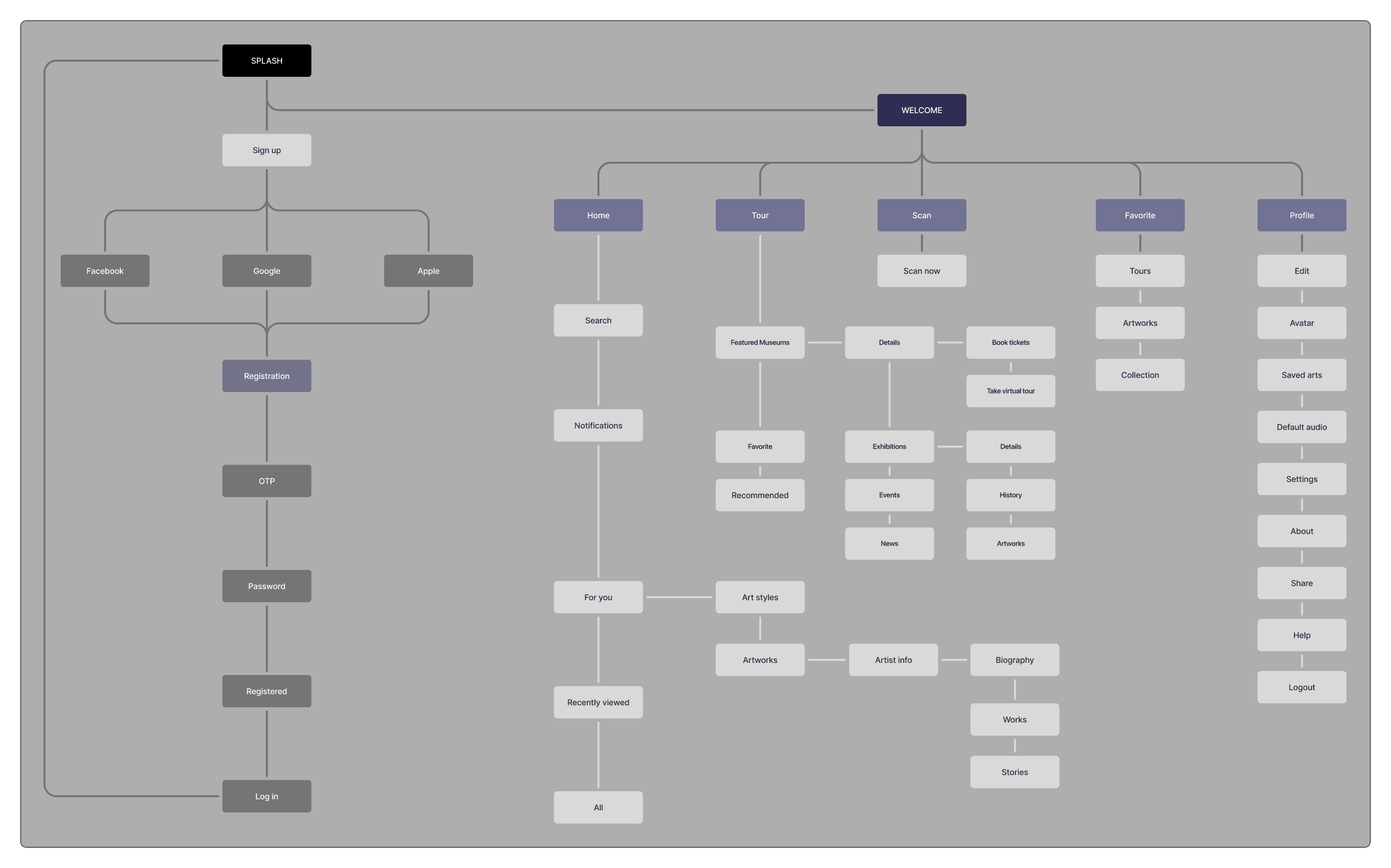
Defined an information architecture that groups features around:
Explore & search
Virtual tours
Artist profiles
Saved & curated content
Defined an information architecture that groups features around:
Explore & search
Virtual tours
Artist profiles
Saved & curated content
MY DESIGN RESPONSE
MY DESIGN RESPONSE
Low Fidelity Wireframes
Low Fidelity Wireframes
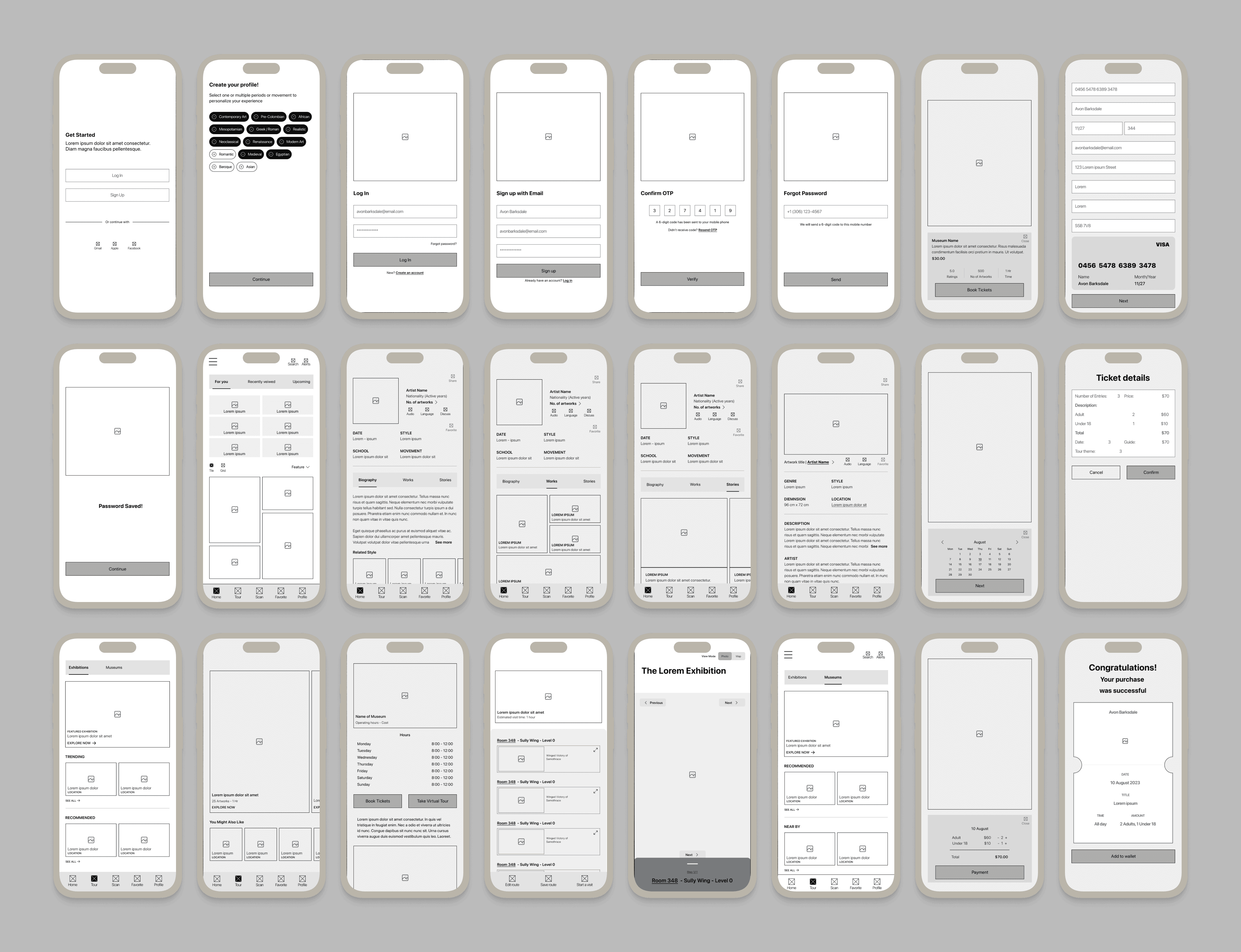
Created low-fidelity wireframes to nail flows and content hierarchy
Created low-fidelity wireframes to nail flows and content hierarchy
Visual Style
Visual Style
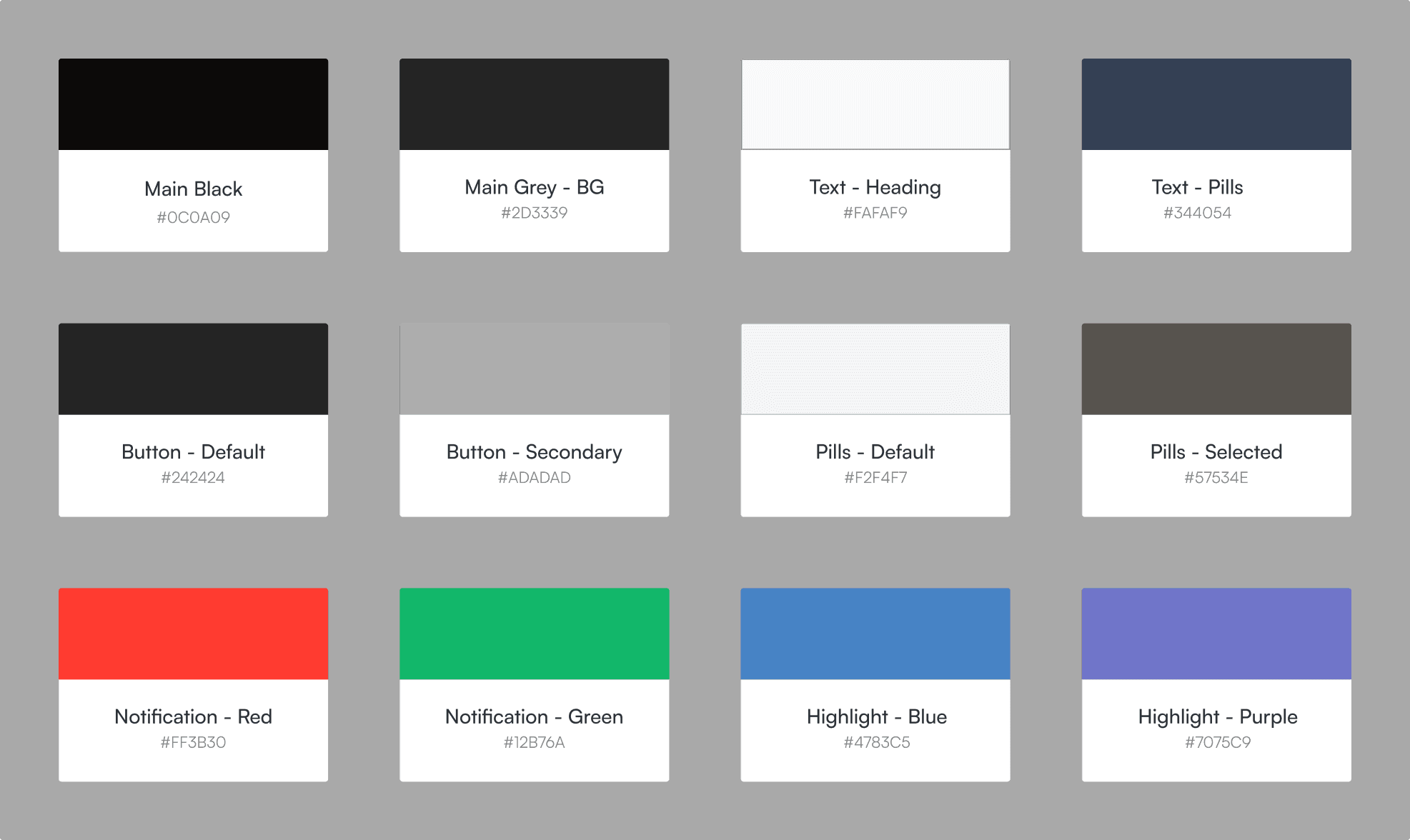
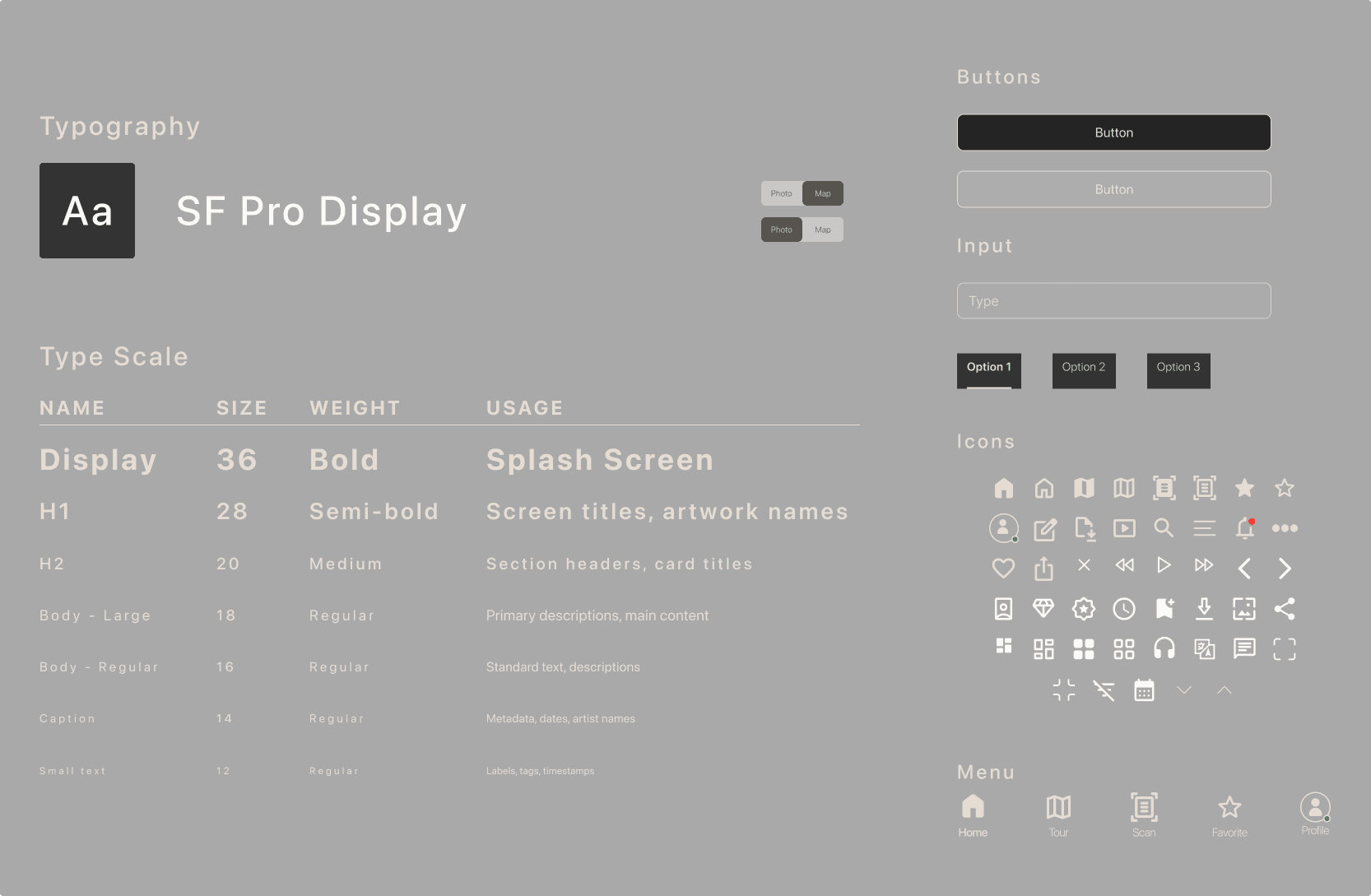
Applied a visual direction and design system based on Untitled UI—tokens for color, type, icons, and grids to keep the app consistent
Applied a visual direction and design system based on Untitled UI—tokens for color, type, icons, and grids to keep the app consistent
Design System
Design System
Built a high-fidelity mobile prototype and ran usability testing with 5 users in the target demographic
Built a high-fidelity mobile prototype and ran usability testing with 5 users in the target demographic
Usability Testing
Usability Testing
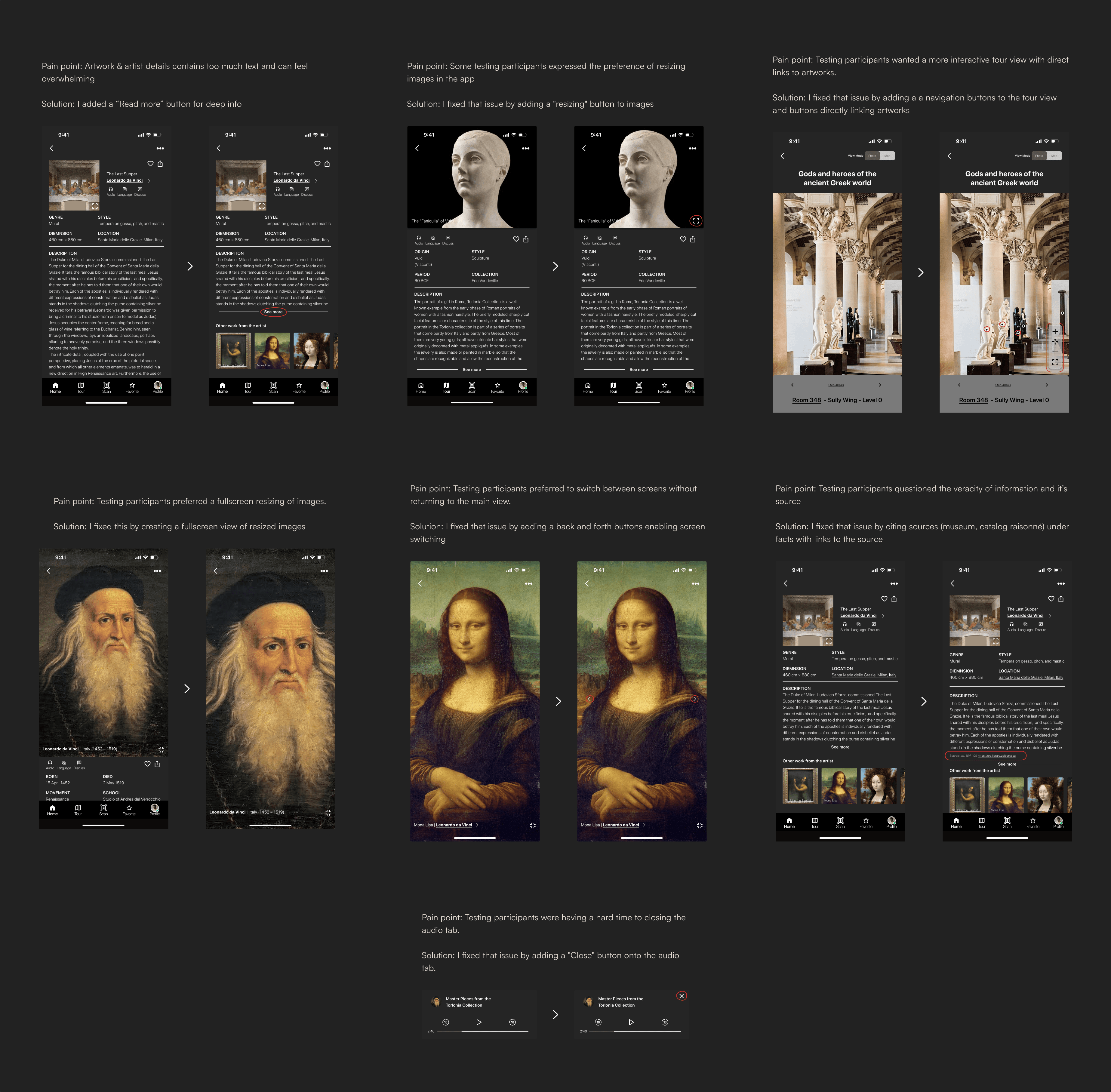
Iterated on navigation, copy, and card layouts based on feedback (e.g., simplifying labels, surfacing “Save” actions earlier)
Iterated on navigation, copy, and card layouts based on feedback (e.g., simplifying labels, surfacing “Save” actions earlier)
Implementing feedback
Implementing feedback
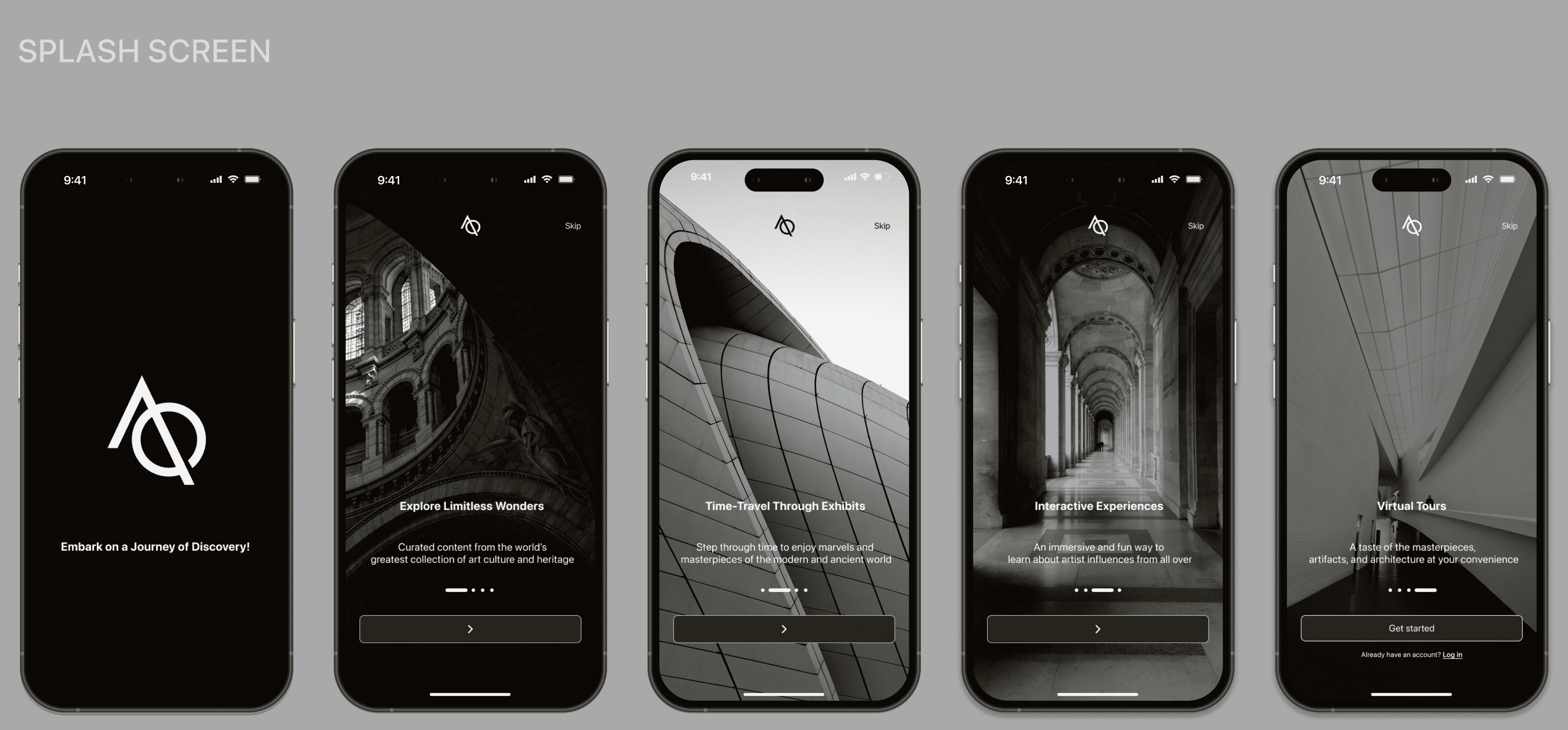
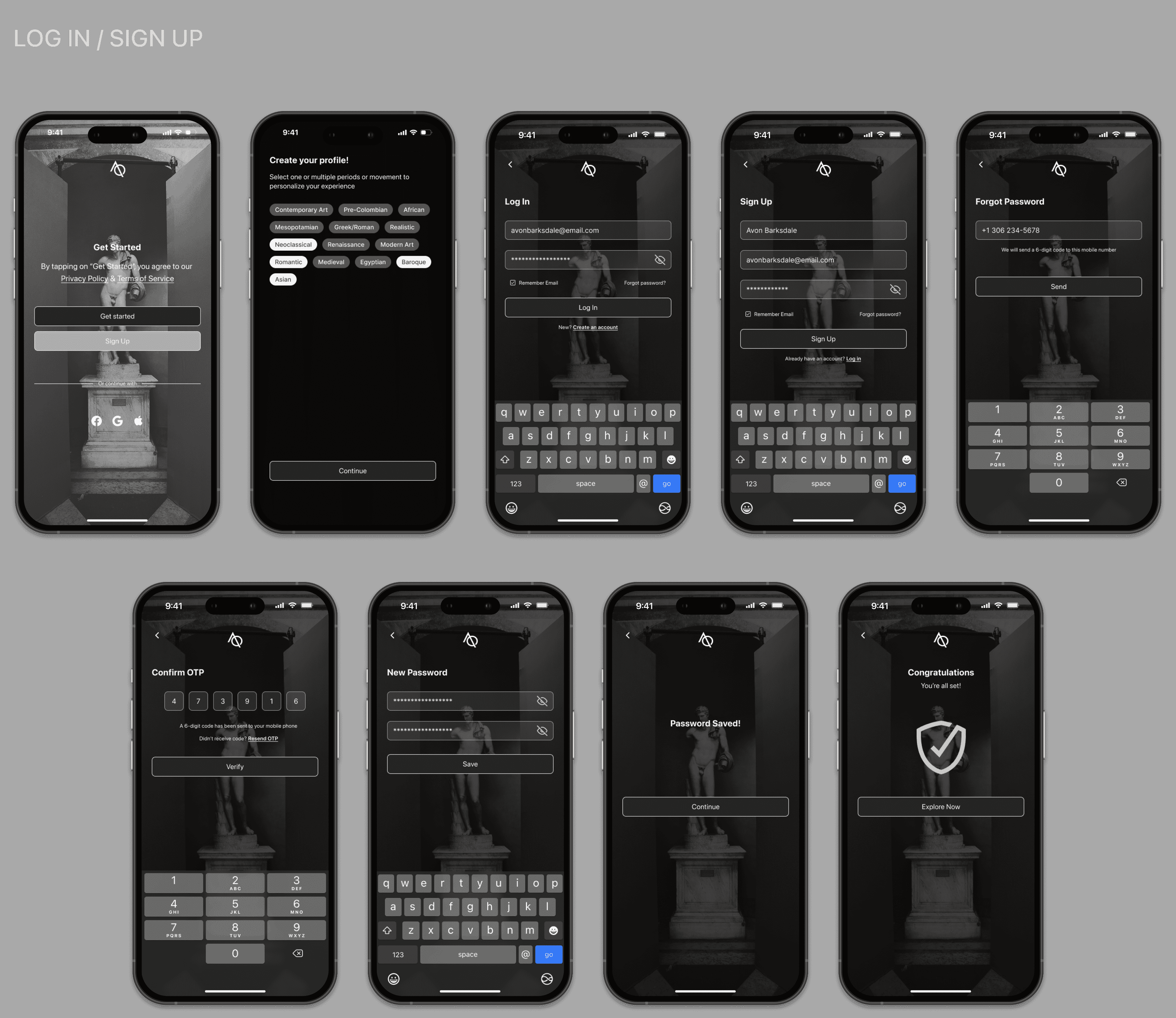
High Fidelity Wireframes
High Fidelity Wireframes
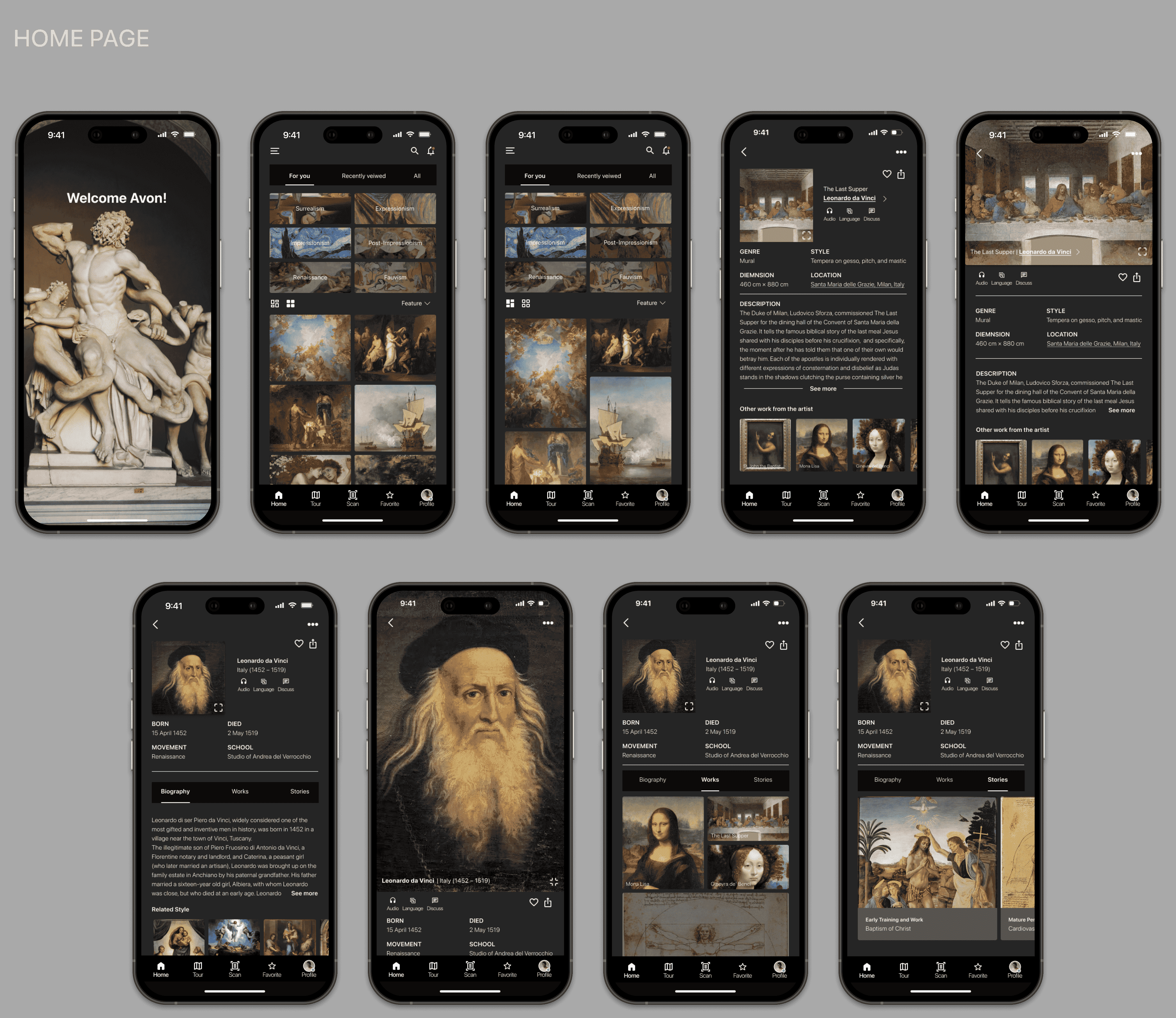
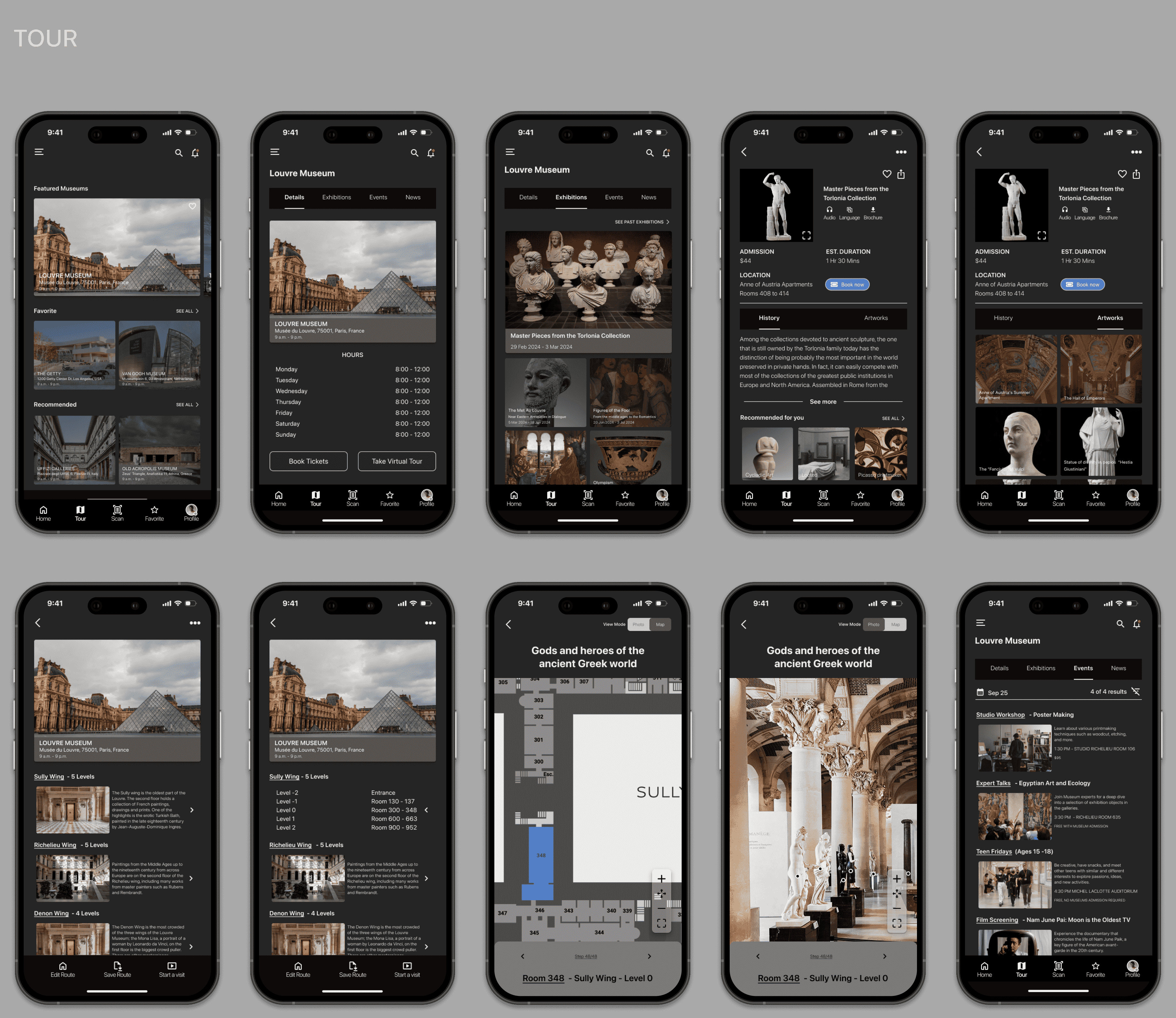
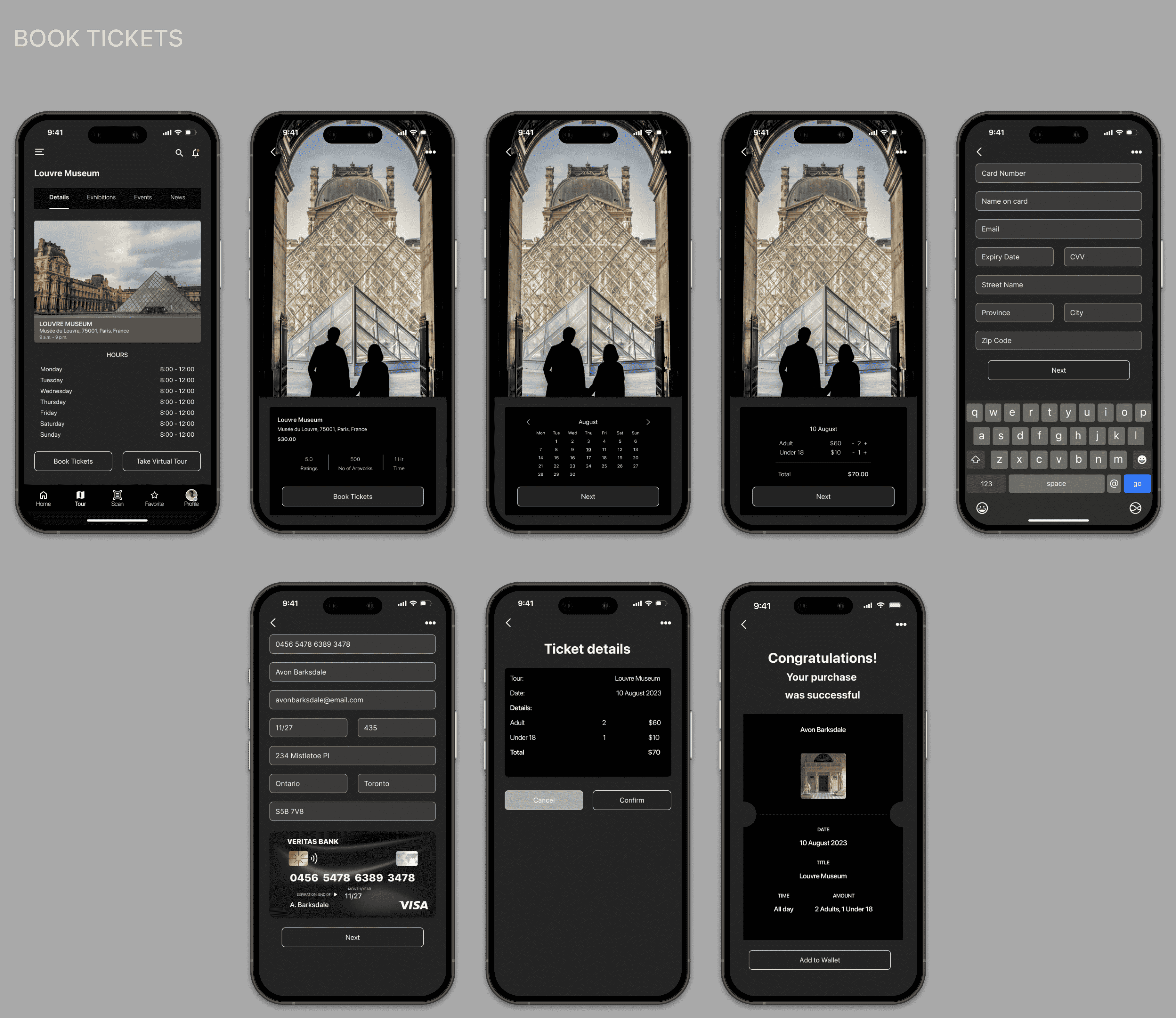
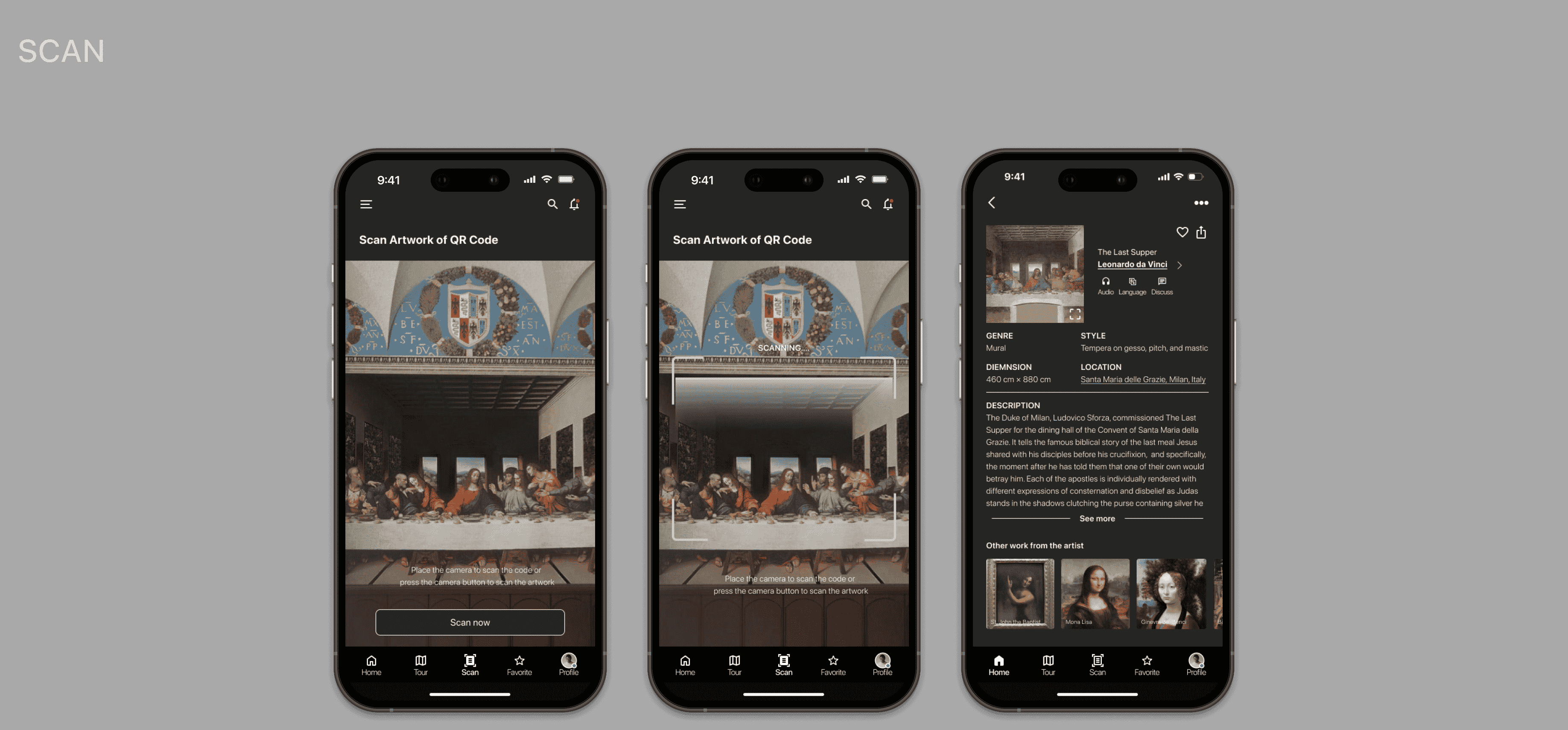
REFLECTION
REFLECTION
Takeaways
Takeaways

Reflection
Reflection
Users don’t necessarily want “more features”—they want context in small, human chunks
Smart defaults (curated collections, starter tours) reduce cognitive load more than throwing every filter at users
Combining interviews, competitive analysis, and fast prototyping kept the scope tight and value clear
Next Steps
Next Steps
AR pilot with a partner museum
Goal: Greater than or equals 8 min AR session time, greater than or equals 3 hotspot taps per session
Deeper personalization
“Because you saved…” recommendations and weekly digests
Goal: +15% 30-day retention for users who save content
AI Curator (beta)
Q&A + micro-tour builder
Goal: Greater than or equals 70% “helpful” rating, increase tour completion by 20%
Education pathway
“Art Nuggets” mini-courses with badges
Goal: Greater than or equals 30% course completion, teacher NPS Greater than or equals 50
Accessibility & performance pass
Aim for WCAG AA, LCP less than 2.5s on mid-tier devices, and zero critical a11y issues